Streaming TV Service Comparison — Find the Best Fit for Cord Cutters
Cutting the cord doesn’t have to mean guessing. This guide compares live TV services on price, channel lineups, DVR, and device support so you can pick the option that fits your household. You’ll see which services deliver the most value, which are best for sports or families, and how device compatibility and DVR features affect daily use. We map the top live-TV picks for 2025, provide a quick decision checklist that matches services to common viewer profiles, outline affordable and free alternatives, and break down the features that matter most. Along the way we reference popular devices—Roku, Fire TV, Apple TV, smart TVs—and VPNs so you can match a service to your setup. Read on for concise comparisons, quick recommendations, and practical steps to trial services without overspending.
Cord-Cutting Trends: Consumer Choices and TV Content Providers
Consumers today have more ways to get TV programming than ever. Many viewers are “cutting the cord,” leaving cable or satellite in favor of lower-cost, more flexible providers like Netflix, Hulu, and others. That shift is driven by economics, lifestyle, technology, and social trends. This case examines how cord-cutting changes consumer choices and the business of delivering television content. Instructors can use it to connect consumer behavior topics across a course as students revisit the case in different exercises.
Cutting the cord—A marketing case: An examination of changing TV Viewership, 2016
What Are the Best Live TV Streaming Services in 2025?
A top live TV service gives you broad channel coverage, reliable live streams, flexible cloud DVR, and solid support across the devices you already own. These platforms bundle live channels and on-demand libraries so you can replace cable with similar features, usually for less money and greater flexibility. Below are our three top live-TV picks for 2025 and the main reason to consider each.
The top picks for live TV in 2025:
- Best overall — YouTube TV: Wide local and national channel coverage plus a strong DVR experience.
- Best value — Sling TV / Philo combo: Low entry cost and modular add-ons for targeted viewing needs.
- Best for sports — FuboTV: Deeper regional and sports-network lineups for live events.
Use these picks as a quick scan before diving into the side-by-side details on pricing and DVR features.
How Do Pricing and Channel Lineups Compare Across Services?
Prices vary by base tier and optional add-ons. Entry-level plans usually cover core networks while higher tiers add sports and premium channels. In 2025 we’re seeing modular sports packages and more ad-supported tiers that lower monthly cost while keeping major live channels. When you compare channel lineups, focus on local availability, regional sports networks, and premium add-ons—not just headline channel counts. Calculating cost per must-have channel and using trial periods will show which service actually matches your viewing priorities.
| Streaming Service | Price (typical tier) | Representative Channels | Notes |
|---|---|---|---|
| YouTube TV | Around $72.99/month as of early 2025 | Local networks, national news, sports | Strong local coverage and a reliable cloud DVR |
| Sling TV | From $37/month for base plans | Select cable networks, add-ons for sports | Low starting price but value depends on add-ons |
| FuboTV | From $74.99/month and up | Sports-heavy regional and national feeds | Great for live sports — can be pricier |
This snapshot shows how price and channel focus interact, which leads into DVR and device-compatibility differences.
Which Services Offer the Best DVR and Device Compatibility?

DVR features range widely. Look for large or unlimited cloud DVR, sensible retention windows, and easy playback so recordings match how your household watches. Device support matters just as much—top services run on Roku, Fire TV, Apple TV, and major smart TV platforms, but app performance and 4K support can differ. In practice, a service with flexible cloud DVR and solid device apps reduces friction for families and multi-viewer homes. Also check simultaneous-stream limits so everyone can watch without conflicts.
How to Choose the Right Streaming Service for Your Needs?
Start by listing must-have channels, set a realistic budget, and confirm app availability on your devices so you don’t get surprised after signup. The quick decision framework below helps you narrow options by viewer type and technical constraints, then test finalists with trials or short subscriptions.
- List must-have channels: Prioritize local stations, sports, and any premium networks.
- Set a monthly budget: Include likely add-ons and possible price changes.
- Match device support: Verify apps on your Roku, Fire TV, Apple TV, or smart TV.
Use this checklist to rule out mismatches, then trial the finalists to test app speed and DVR behavior on your devices. After testing, pick the service with the clearest channel match, dependable DVR, and stable apps.
What Streaming Services Are Best for Sports Fans and Families?
Sports viewers need services carrying regional sports networks, national sports channels, and rights to major leagues; families tend to value kids’ content, parental controls, and multiple simultaneous streams. For sports, prioritize services with broad sports-network lineups and low latency for live events. For families, look for on-demand kids’ libraries and strong parental controls. Expect trade-offs: sports-focused plans often cost more but are necessary for live-event access; family-focused plans may skip niche sports networks but offer broader kids’ catalogs at lower prices.
Cord-Cutting Behavior: A Consumer Segment Analysis
This study explores cord-cutting across different consumer segments, aiming to understand why people leave traditional cable or satellite for alternative viewing options. By analyzing motivations and preferences, the research identifies patterns within the cord-cutting movement and how audience needs are shifting.
Examining the use, perception, and motivation of cord-cutting: A consumer segment approach, H Kim, 2021
How Does Device Compatibility Affect Your Streaming Experience?
Device compatibility shapes app responsiveness, search reliability, casting, and 4K availability—each one affects how smooth daily viewing feels across TVs and mobile devices. Some apps offer full DVR control on certain platforms but limited features on others; UI and recording controls can vary between Roku, Fire TV, and smart TV builds. Test apps on the devices you use most during trials, and prioritize services with consistent performance and 4K support if you have compatible TVs. Matching your device to a service often cuts more friction than switching services later.
What Are the Most Affordable Streaming TV Alternatives to Cable?
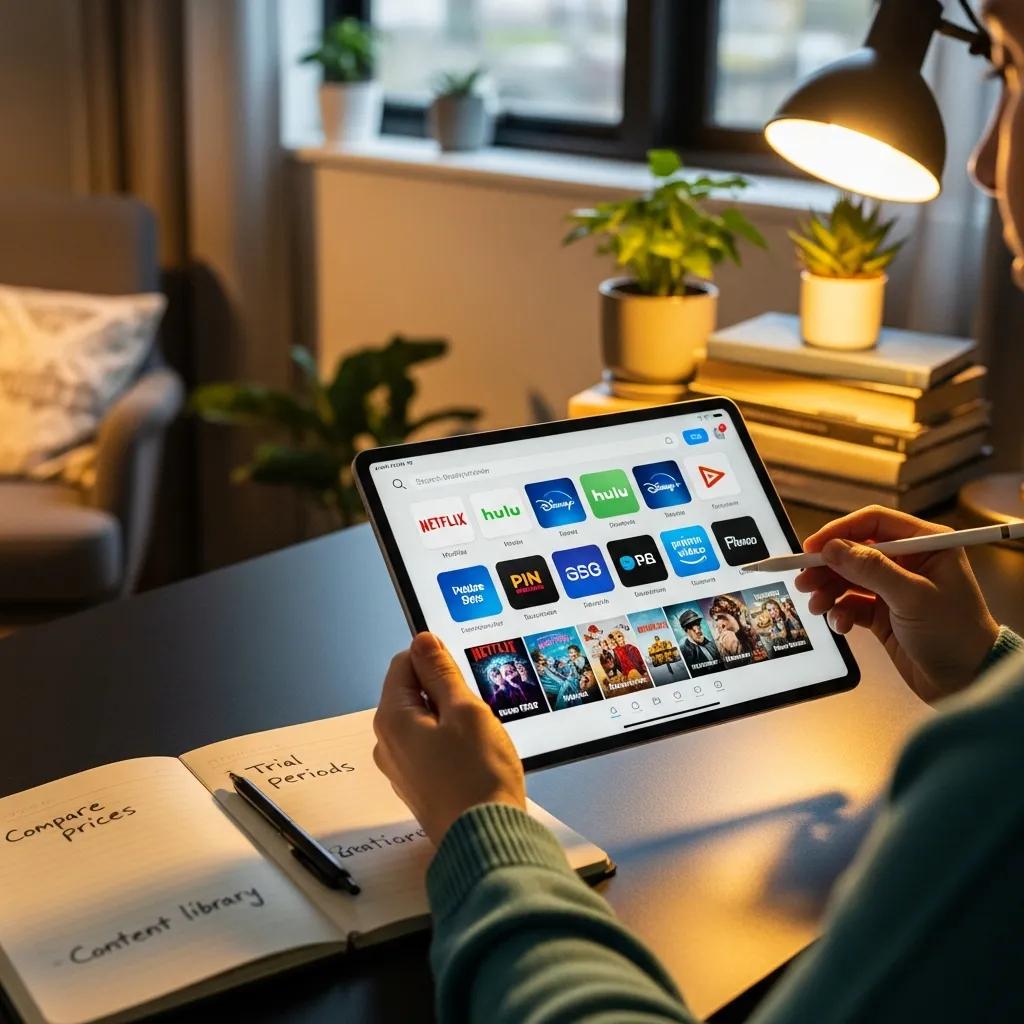
Affordable options focus on core channels at a low monthly price, ad-supported tiers, and free live streams for basics like news and some entertainment. Value-conscious cord cutters often pair a lean paid plan with free or AVOD services to hit a monthly target without losing core channels. The table below compares budget-friendly choices on key attributes so you can find the best match for cost and channel needs.
| Streaming Service | Monthly Cost | Free Tier Available | Ads | Typical Channel Count |
|---|---|---|---|---|
| Philo | $25/month as of early 2025 | No | Yes | Entertainment-forward bundle |
| Sling TV | From $37/month base | No | Yes | Small base with add-ons |
| Free/AVOD options | $0 | Yes | Yes | Limited live channels |
After you compare base costs and ad approaches, use short trials and bundle promotions to cut onboarding expense and confirm a low-cost plan meets your needs.
Which Streaming Services Provide the Best Value for Money?
Value comes down to how many must-watch channels you get per dollar and whether DVR and simultaneous-stream limits match household habits. Single viewers often aim for a cheap base plan; families need multiple streams and DVR; sports fans may pay more for regional networks. To estimate value, divide the monthly price by the number of regularly watched channels and factor in DVR and stream allowances. Promotions can improve short-term value, but plan around the regular monthly price for longer-term comparisons.
Are There Free or Low-Cost Live TV Streaming Options?
Several AVOD and free-tier services stream live news, local-like feeds, and select entertainment channels with ads as the trade-off for no subscription fee. Free services pair well with a targeted paid plan for must-have sports or local channels. Common limits include fewer channels, no cloud DVR, and lower streaming priority during peak times. Combine a free service for background viewing with a slim paid plan for essential channels to cut costs without losing core access.
What Are the Key Features to Compare When Selecting a Streaming Service?
Compare pricing structure, channel relevance, DVR type and retention, simultaneous-stream limits, device app quality, and customer support policies—each affects satisfaction and monthly value. Prioritize features that matter to your household: robust DVR for time-shifted viewing or multiple streams for different rooms. The table below explains why each feature matters and what to watch for.
| Feature | Why it matters | What to look for (Value) |
|---|---|---|
| Pricing structure | Determines ongoing cost stability | Transparent base price, clear add-on fees |
| Channel lineup | Matches what you watch live | Local channels, sports, must-have networks |
| Cloud DVR | Enables time-shifted viewing | Storage limits, retention period, download options |
Understand these features and test them during trials so you choose a service that fits viewing patterns, not just marketing claims.
How Important Are Content Libraries and On-Demand Options?
On-demand libraries add movies, series, and originals that keep value between subscriptions—strong libraries reduce churn and increase perceived value. Licensing means catalogs change, so favor services that reliably offer the shows and films you watch. Families often need deep kids’ catalogs; entertainment seekers want originals and movie access. During trials, search for the titles you care about to confirm they’re available and stable.
What Role Do User Experience and Customer Support Play?
Simple UX and responsive support improve everyday convenience: intuitive guides, accurate search, and fast DVR access reduce friction, while clear billing and timely support prevent headaches. During trials, check app navigation, search accuracy, and how easily you manage recordings. Good support policies and transparent billing are small details that matter over months of use.
For unbiased, side-by-side reviews that map these features to common viewer profiles, Amp Streams maintains a resource library focused on streaming TV comparisons and device compatibility. Amp Streams stands by “No Sponsored Content, Ever” and offers neutral recommendations to help you save time and money when testing services. If you want deeper device-compatibility or persona-specific guides for sports fans, families, or budget shoppers, our pages make trial choices easier without commercial bias.
Frequently Asked Questions
1. What factors should I consider when evaluating streaming service trials?
During a trial, check the channel lineup, device compatibility, and overall app experience. Make sure the service includes your must-have channels and runs well on the devices you use most. Test the interface, search, and DVR features, and confirm the trial length gives you enough time to evaluate real-world use.
2. How can I maximize my savings while using streaming services?
Maximize savings by bundling where it makes sense, using promotional offers, and considering annual plans if the math works. Add free or ad-supported services to cover secondary viewing. Regularly review active subscriptions and cancel services you no longer use. Watch for deals and price changes that could change your total cost.
3. Are there any hidden fees associated with streaming services?
Some services charge extra for premium channels, add-ons, or equipment. Read terms carefully for fees tied to premium channels, DVR upgrades, or exceeding simultaneous-stream limits. Also watch for data-usage impacts on mobile plans. Transparent pricing is the best way to avoid surprises.
4. How do I determine if a streaming service is right for my family?
Start by mapping your family’s viewing habits: favorite channels, kids’ content needs, parental controls, and how many simultaneous streams you need. Compare those needs to each service’s lineup and features, then use a free trial to test usability and content quality before committing.
5. What should I know about the impact of ads on streaming services?
Ads lower subscription costs but interrupt programming more frequently. Some services offer an ad-free tier for an extra fee. Decide your tolerance for ads and whether saving money is worth occasional interruptions. For many users, a hybrid approach—ad-supported for background channels and ad-free for favorites—works well.
6. How do streaming services handle content licensing and availability?
Streaming libraries change as licensing deals expire or shift. That means titles can appear or disappear. To keep access to favorites, check libraries periodically and favor platforms that consistently carry the shows and movies you watch. Originals are generally more stable across time.
7. What are the benefits of using a VPN with streaming services?
A VPN can help with privacy and accessing geo-restricted content by routing traffic through different regions. However, some services block VPNs, so pick a reliable provider if you plan to use one. Also consider performance impacts—VPNs can affect streaming speed on some networks.
Conclusion
Picking the right streaming TV service helps you cut costs and get the channels you care about. By focusing on pricing, channel lineups, DVR, and device compatibility—and testing services during trials—you can choose a solution that fits your household. Explore our comparisons and guides to find the best match, then start your cord-cutting journey with confidence.