

Using Real Debrid on a Firestick is the most popular method but there are numerous ways that this service can be utilized.
When you use Real-Debrid in conjunction with Kodi or other streaming apps (APKs), you get buffer-free HD playback that you wouldn’t normally find with the default streams.
It’s important to point out that Real Debrid is not an add-on. It’s a service that you can tie into Kodi add-ons and streaming applications.
You will find step-by-step instructions below on how to pair Real Debrid with your favorite add-on or app.
This tutorial provides you with both a video tutorial and a screenshot guide for installing and setting up Real-Debrid on Kodi and other streaming apps (APKs).
We suggest viewing the video tutorial because it provides important details not outlined in the screenshot guide.
As a bonus, you will find a video tutorial on how to use Real-Debrid as a torrent client/downloader. This provides another layer of security in addition to using a VPN.
Integrating Real Debrid within your preferred streaming app is the best way to eliminate buffering on your Firestick or Android TV device.
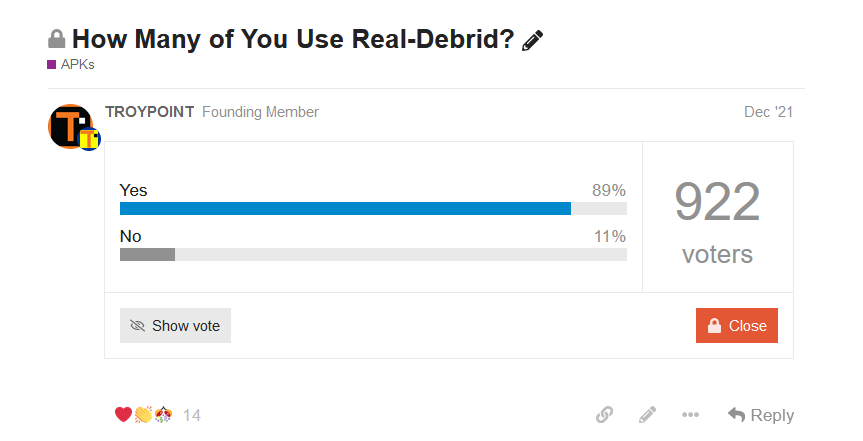
In a recent poll taken on the TROYPOINT Insider, 89% of respondents use Real Debrid in conjunction with their streaming apps and add-ons.
What is Real Debrid?
Real Debrid is an unrestricted downloader that allows you to download files instantly and at the best of your internet speed.
You can think of Real Debrid as a middle-man between you and the servers that store movies and TV shows.
⚖️ Legal Disclaimer: Amp Streams does not operate, develop, host, or administer any streaming app, addon, service, or website. This is a review site where we point out the good, bad, and possibly illegal practices found within various apps, addons, services, websites, etc. The end-user is ultimately responsible for anything streamed or downloaded through his/her Internet connection. Amp Streams assumes that all visitors are abiding by copyright laws set forth within their jurisdiciton. Amp Streams will not be held liable for ISP termination, lawsuits, data breaches, fraudulent charges, etc.
These media files come from torrent sites and file lockers located on the Internet.
Real Debrid processes those files on their servers and sends them to you at blazing fast speeds which means no buffering.
Most cord-cutters use Real Debrid with their Firestick or Android TV Box in conjunction with free Kodi add-ons or streaming APKs.
With Real Debrid, you will enjoy buffer-free HD links for movies and TV shows. These sources are almost always better quality than the free ones offered by the app itself.
You will be able to retrieve 4K and 1080p links much easier with Real Debrid.
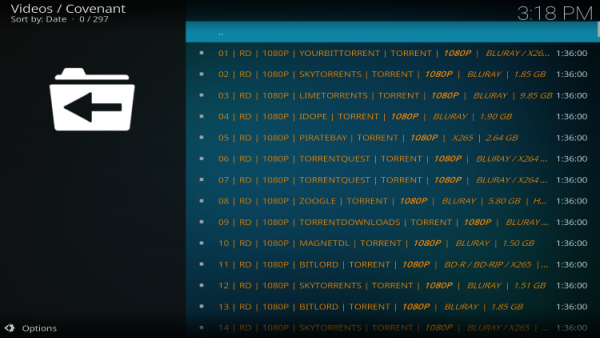
For less than $5/month, users can integrate Real-Debrid into their favorite Kodi add-on or streaming app and watch content buffer-free.
Many users choose to use Real-Debrid with streaming apps and Kodi add-ons for the highest quality sources.
Using Real-Debrid links is the best way to eliminate buffering on most apps including many on Amp Streams Best APKs list.
Amp Streams strongly suggests implementing Real-Debrid within Kodi if you are dealing with buffering problems or you want HD-quality streams (4K & 1080p).
Real Debrid Pricing
You must first get a Real-Debrid Premium account.
Yep, it does cost less than $5 per month but it will be the best five bucks you will ever spend. Your daily coffee costs about the same amount.
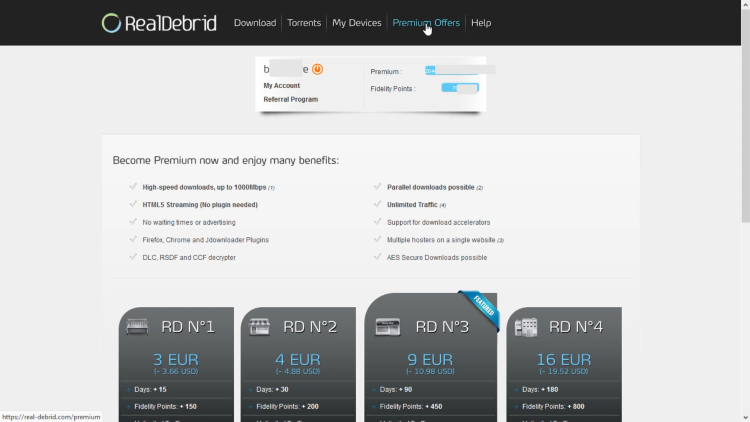
Users have 4 subscription options for Real-Debrid which are shown below:
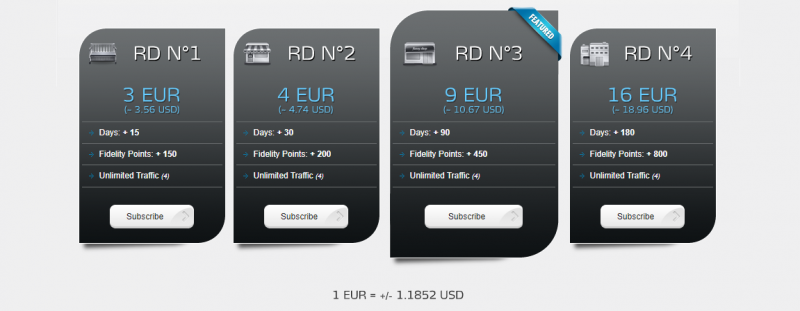
- 15 Day Subscription: Roughly $3.56 US (3 EUR) & 150 Fidelity Points
- 30 Day Subscription: Roughly $4.74 US (4 EUR) & 200 Fidelity Points
- 90 Day Subscription: Roughly $10.67 US (9 EUR) & 450 Fidelity Points
- 180 Day Subscription: Roughly $18.96 US (16 EUR) & 800 Fidelity Points
When it comes to payment methods, there are various ways to pay for a subscription to this service.
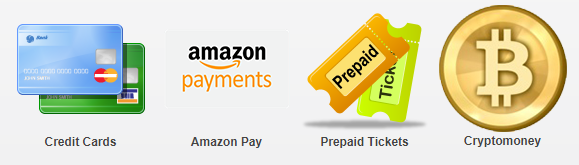
As of this writing, Real-Debrid accepts the following payment methods:
- Credit Cards
- Amazon Pay
- Cryptocurrency (including Bitcoin)
- Prepaid Tickets
Some have complained that their credit cards aren’t accepted when trying to pay for Real-Debrid subscriptions. The solution to this is to use one of the other payment methods.
Many have voiced their success with using Amazon Pay. You can also pay with cryptocurrency through their Crypto money option as well.
Premium Features
- High-speed downloads, up to 1,000 Mbps
- HTML 5 Streaming (no plugin needed)
- No waiting times for streams to start playing or ads
- Firefox, Chrome, and Jdownloader Plugins
- DLC, RSDF, and CCF decrypter
- Parallel downloads possible
- Unlimited traffic
- Support for download accelerators
- Multiple hosters on a single website
- AES Secure Downloads are possible
What are Real Debrid Fidelity Points?
– You can earn fidelity points by buying Premium days.
– You can use your points whenever you would like, but you have to reach 1000 points to get free Premium days.
– 1000 fidelity points equals 30 premium days.
– You cannot send fidelity points to another Real-Debrid member.
Once you’ve accumulated at least 1,000 Fidelity Points, you can redeem them for premium days inside your online account.
How To Sign Up for Real Debrid
Use the guide below to register for a Real-Debrid account:
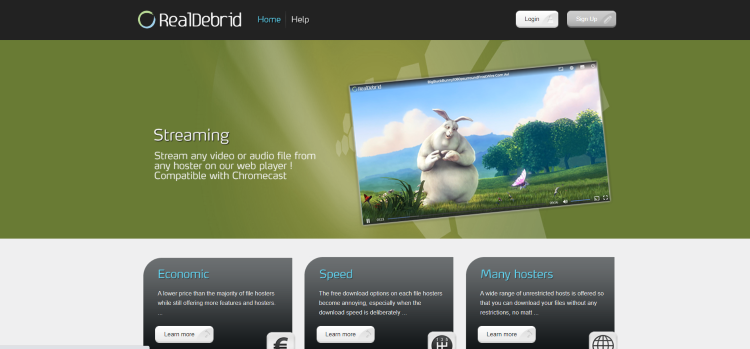
1 – Visit real-debrid.com and choose Sign Up
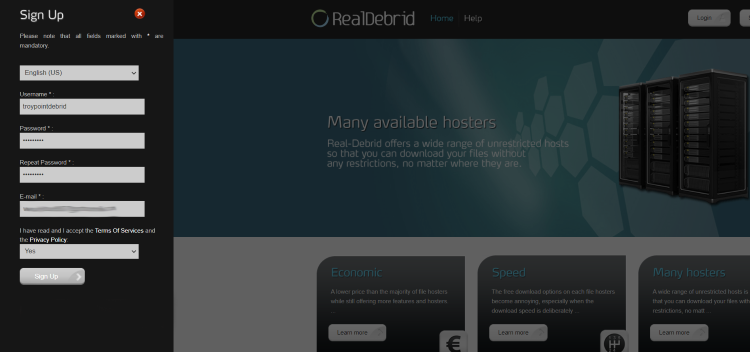
2 – Enter your information and click Sign Up again.
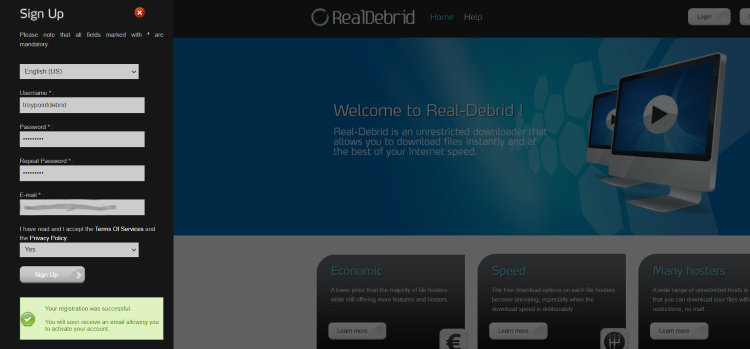
3 – You will then encounter a message saying “your registration was successful.”
Be sure to check your e-mail account for the activation e-mail from Real-Debrid.
4 – After you log into your Real-Debrid Account you will see a new menu item named “Premium Offers.”
Click that and then purchase a premium plan.
I highly recommend watching the video below that will explain Real-Debrid and how it works in full detail.
How To Setup Real Debrid On Kodi with a Firestick
Below, you will find both a video tutorial and a screenshot guide for setting up Real-Debrid on Kodi and Cinema HD with a Firestick.
Screenshot Guide – Kodi Addons
In the steps below I am integrating Real-Debrid within The Crew Kodi Addon, which uses ResolveURL dependency.
If you install an add-on that uses the URLResolver dependency, the steps are basically identical.
Important Note: Not all Kodi Add-on interfaces are exactly the same, but most have a similar interface as the add-on used in this example.
1 – First you must register for a Real-Debrid account if you don’t have one already.
2 – Launch The Crew Kodi Addon. (Or any addon you prefer).
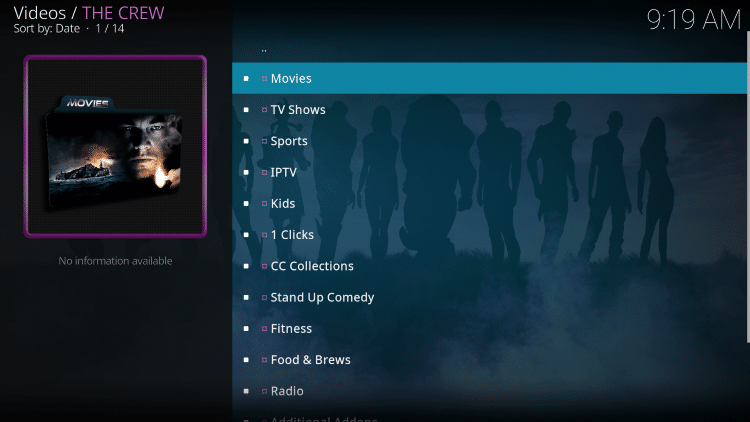
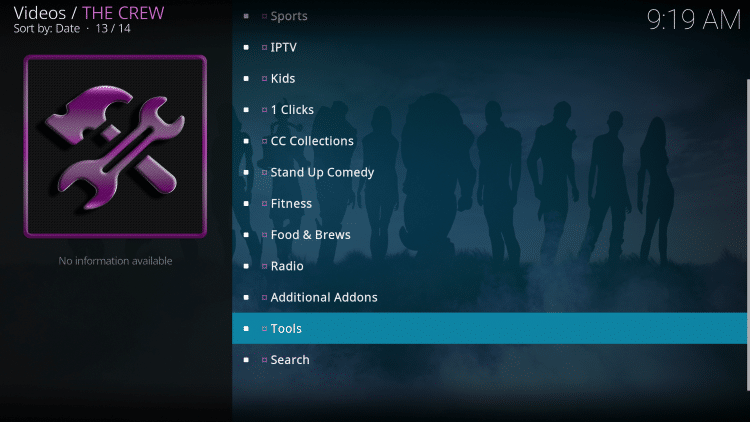
3 – Scroll down and select Tools.
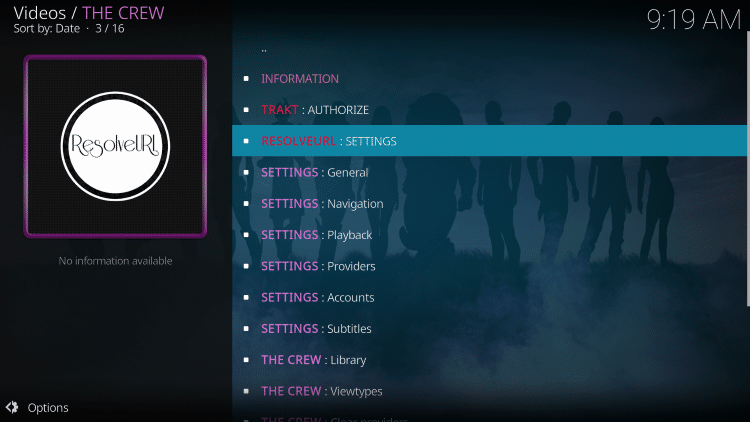
4 – Then select ResolveURL: Settings.
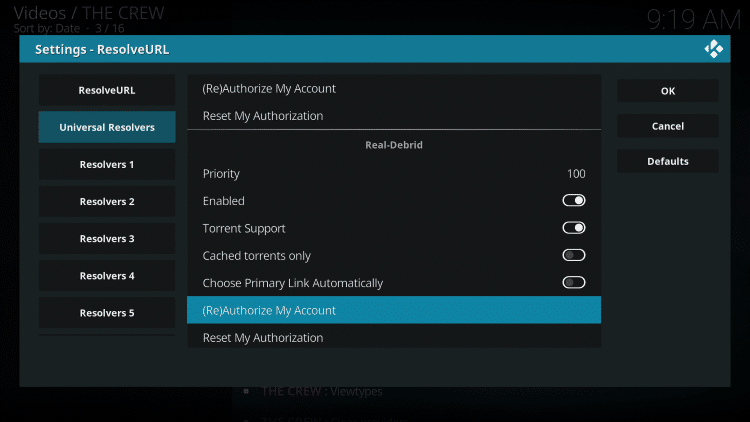
5 – Within the Universal Resolvers menu on the left, scroll down and select (Re)Authorize My Account under Real-Debrid.
6 – This screen will appear. Write down the code provided.
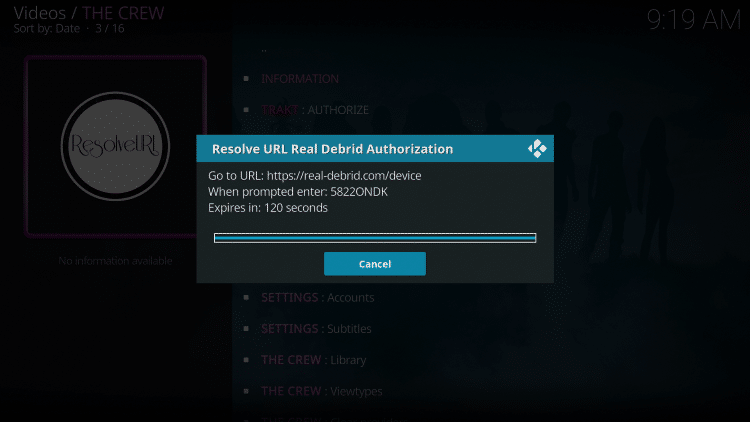
7 – Open an Internet browser on another device and go to https://real-debrid.com/device.
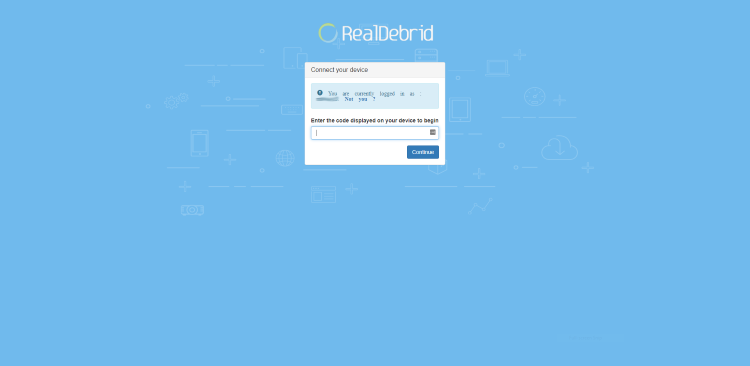
8 – Enter in the provided code from Step 6 and click Continue.
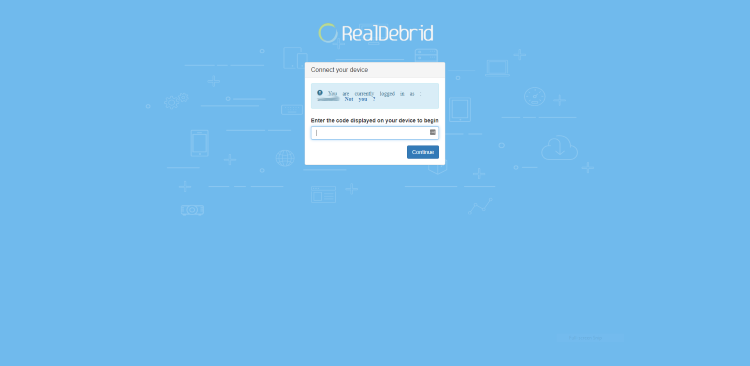
9 – Your Real-Debrid application is now approved!
10 – Return back to The Crew and select Search.
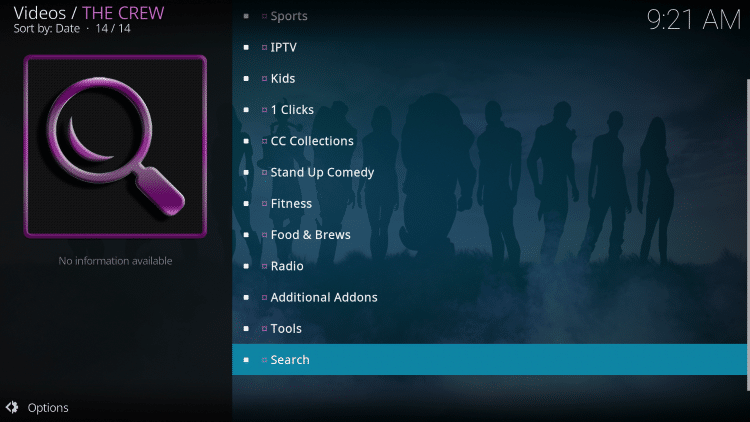
11 – Select whichever option you prefer. For this example we chose Movies.
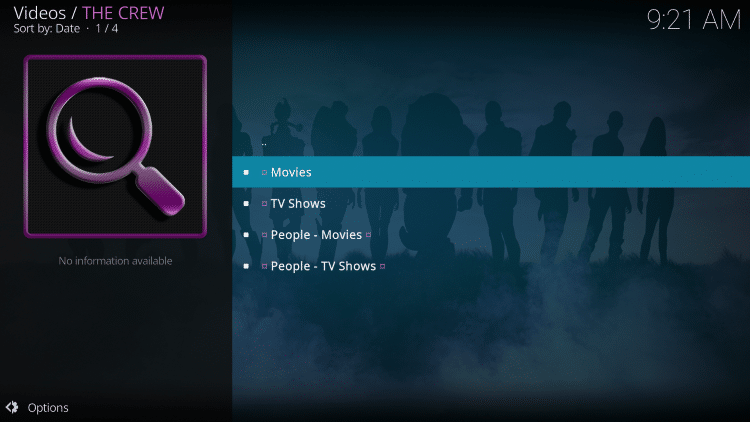
12 – Select New search.
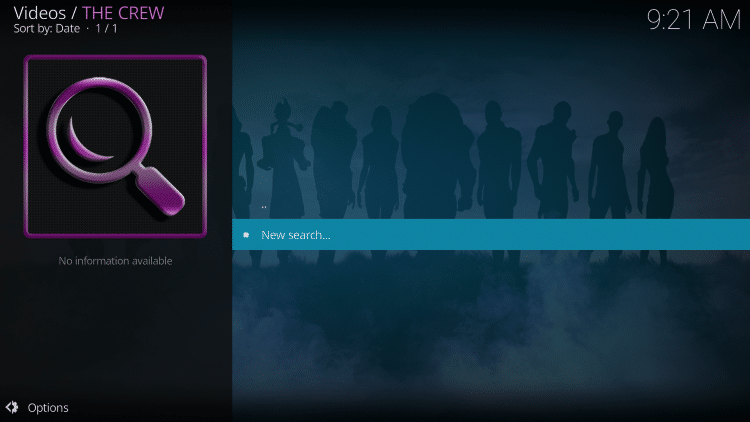
13 – Enter in the Movie or TV Show you desire.
14 – Notice both the Real-Debrid and free links populating.
15 – You will notice the Real-Debrid links now appearing with “RD” in the link name.
16 – That’s it! You are now able to watch Movies and TV Shows using Real-Debrid within The Crew Kodi Add-on.
Most Real-Debrid users are using a Fire TV Stick or Android TV Box.
Learn how to install the best VPN in a matter of minutes with the free tutorial below.
How to Install Best VPN on Firestick
How To Install & Setup Real Debrid On Streaming Apps (APKs)
In the steps below I am integrating Real-Debrid within Cinema HD APK on a Firestick.
However, this guide will also work for other various streaming apps.
Important Note: Not all APK interfaces are exactly the same, but most have a similar interface as the streaming app used in this example.
1 – Click the Menu button in the upper left-hand corner (3 horizontal lines).
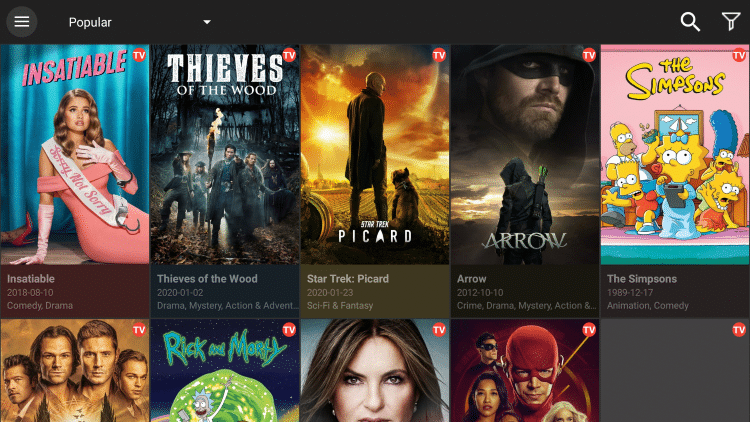
2 – Scroll down and select Settings.
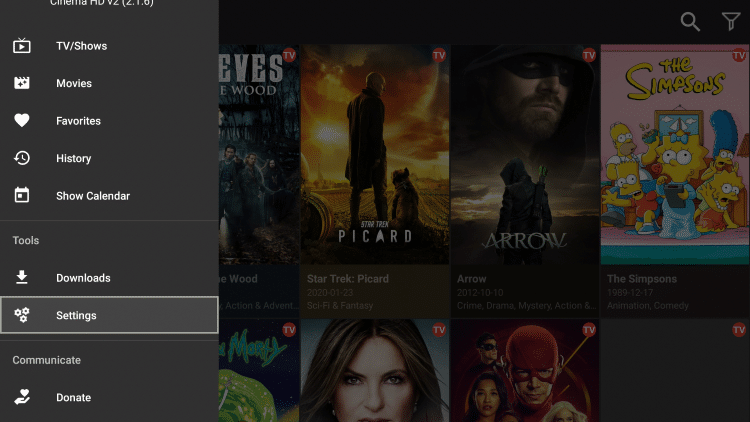
3 – Choose Login to Real-Debrid.
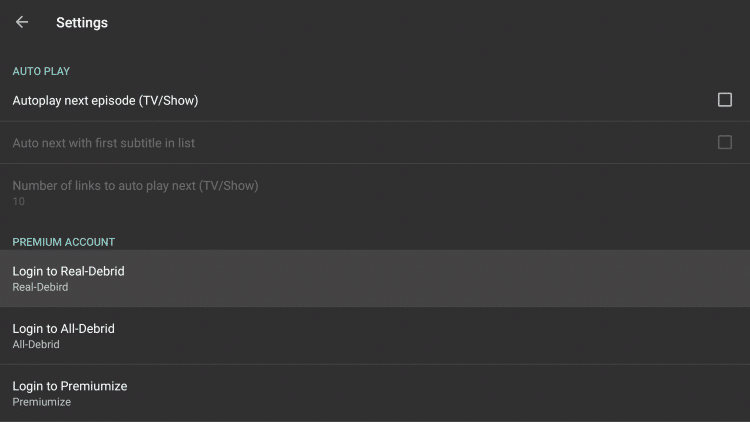
4 – Write down & remember the code that appears on the screen.
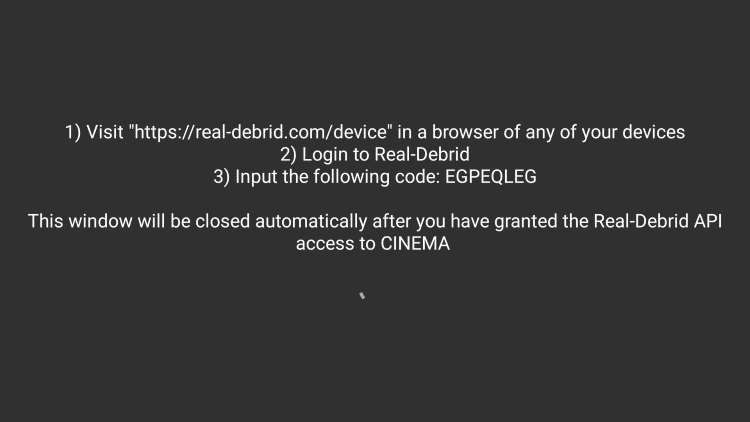
6 – Type in the activation code from step 4 and click Continue.
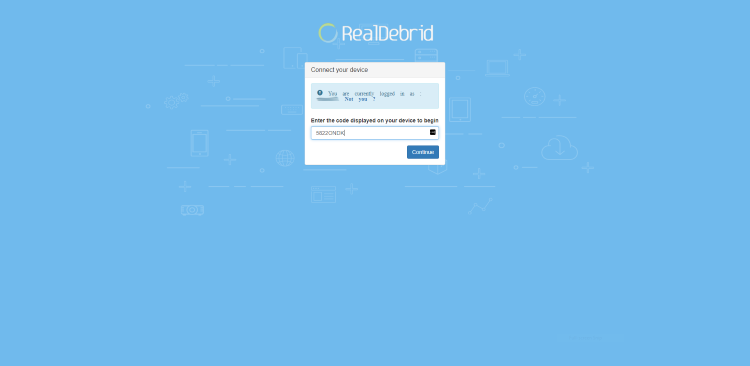
7 – You will then receive an authorization complete notification.
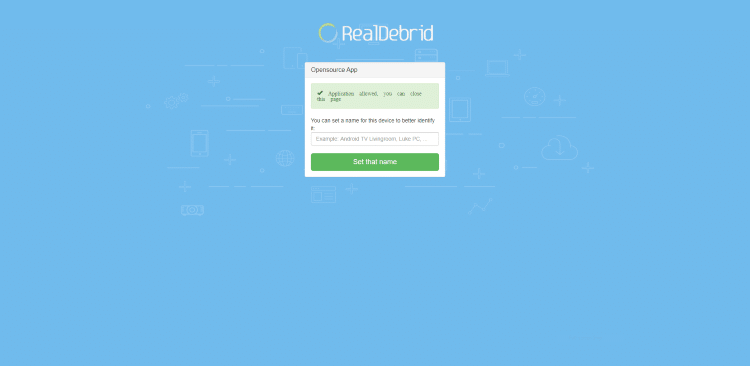
8 – Notice you are now logged in to Real-Debrid within Cinema HD.
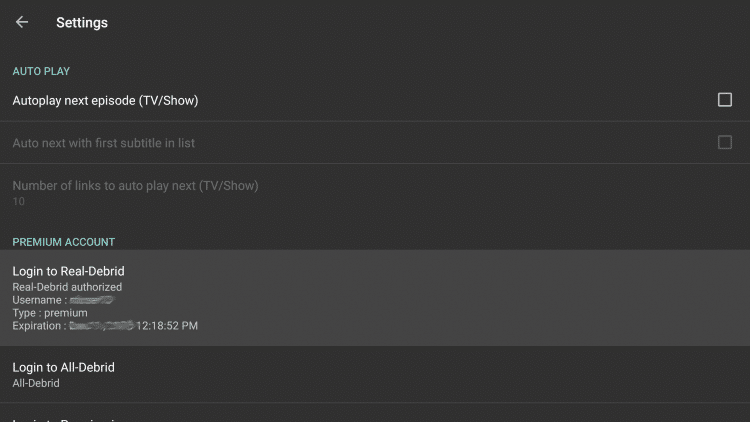
9 – Return back to the Cinema HD home screen, and search for the Movie or TV Show you prefer.
10 – Enter in the Movie or TV Show you desire.
11 – You will see Real-Debrid streams highlighted yellow after making your content selection.
12 – You are now able to watch Movies and TV Shows using Real-Debrid within Cinema HD APK.
Enjoy!
How To Delete Real Debrid Download History
We often receive questions on how to delete your download history within Real-Debrid.
Real Debrid states in their Privacy Policy that user downloads are stored in their database for legal reasons for 1 month.
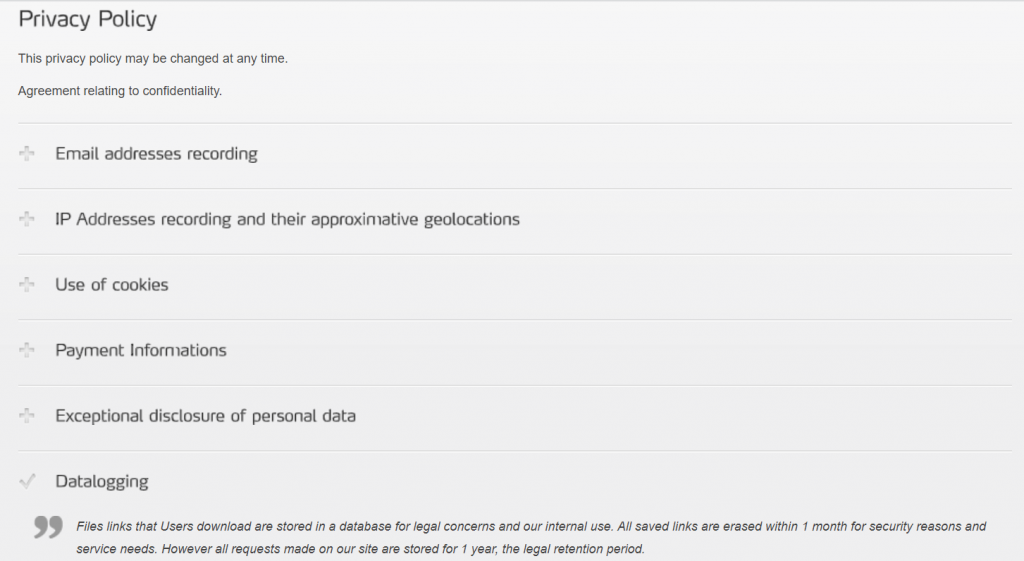
Follow the quick steps below for deleting your download history.
1 – Visit your Real-Debrid account dashboard – real-debrid.com/account
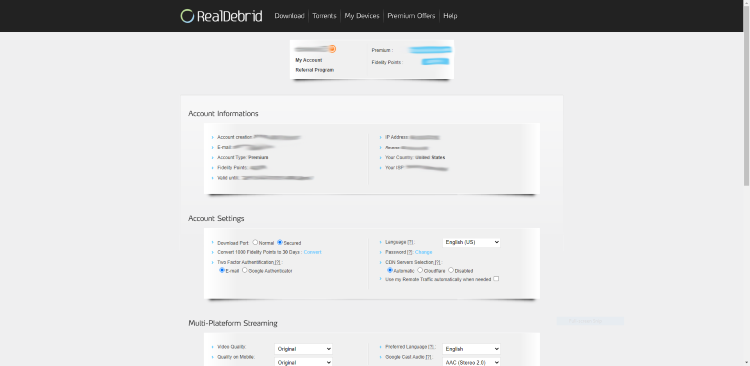
2 – Scroll down and select Downloads History.
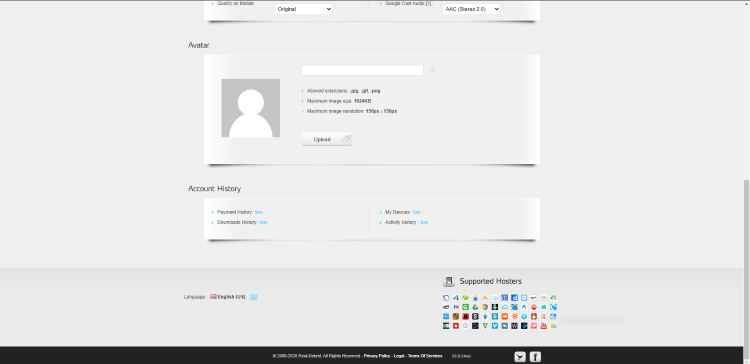
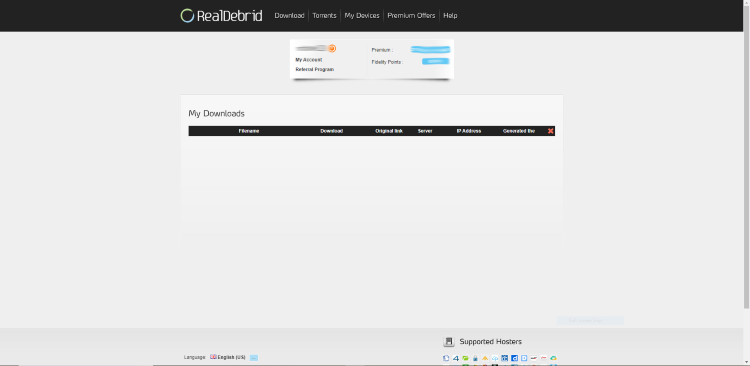
3 – Click the Red X on the top right side of the menu. This will say “Delete All” when hovering over the X.
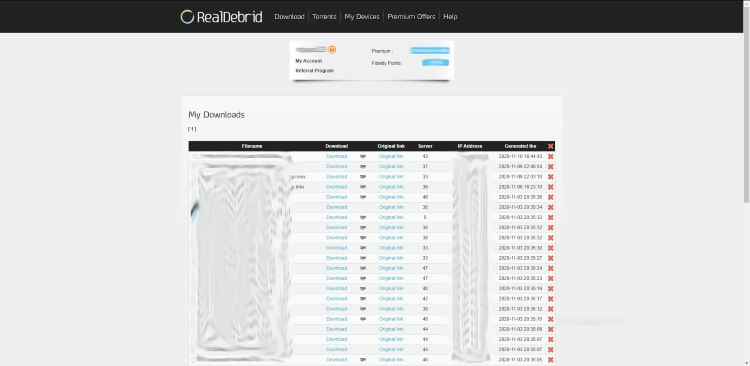
4 – That’s it! Your Real-Debrid download history is now deleted.
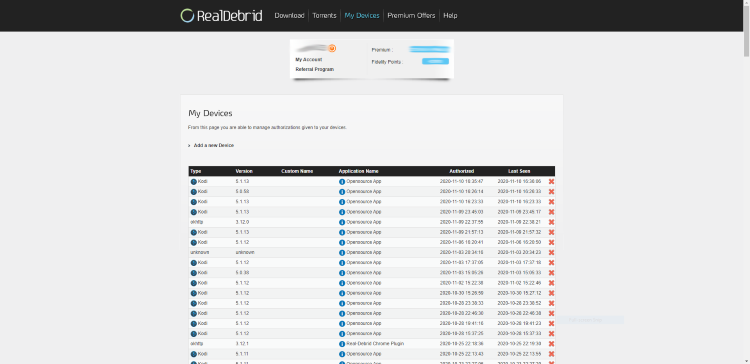
Note: You also have the option to delete your device history if you prefer.
Compatible Real Debrid VPNs
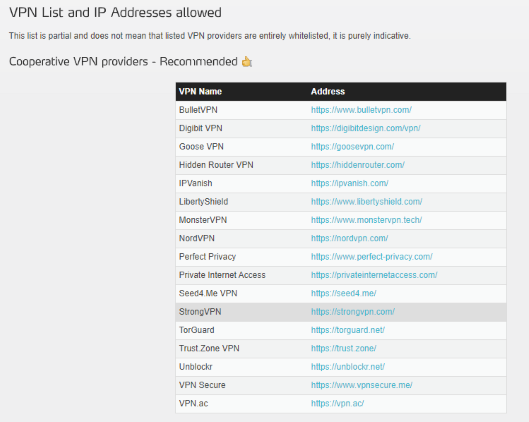
You may not be aware that Real-Debrid only works with certain VPN providers.
Some of the most popular cooperative VPN services include Surfshark, IPVanish, NordVPN, StrongVPN, and others seen in the image below.
Real Debrid Affiliate Program
Real-Debrid also features a referral program where users can generate additional days through affiliate sales.
To get your affiliate details, simply click the “Referral Program” link under your username at the top of the page.
Simply share your unique links with others and once they register with your link, you get free Premium Days and Fidelity Points!
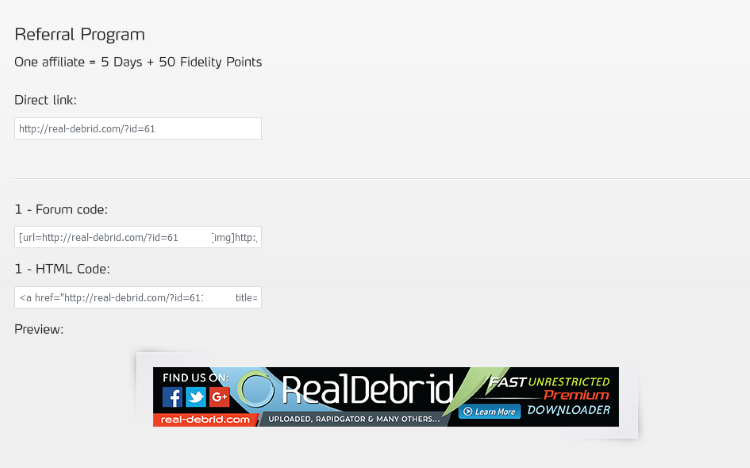
Every new affiliate that you send with your personalized link will add 5 Premium Days and 50 Fidelity Points to your account.
1,000 fidelity points can be converted into 30 days of usage.
Convert Fidelity Points to Premium Days
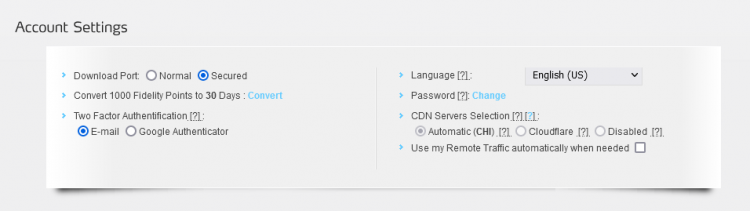
As mentioned earlier, once you have at least 1,000 Real-Debrid Fidelity points, you can exchange those for Premium Days. 1,000 Fidelity Points can be converted into 30 Premium Days.
How to use your Real-Debrid fidelity points:
- Go into the “My Account” page within your Real-Debrid Dashboard
- Then, in the “Account Settings” section, find “Convert 1000 Fidelity Points to 30 Days: Convert”
Supported Real Debrid Hosters
Real-Debrid pulls files from numerous torrent and “hoster” websites.
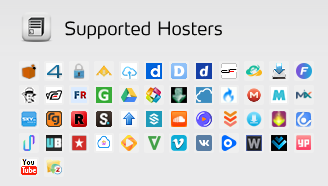
You can think of hosters as online file lockers or cloud storage services.
As of this post, here are the hosters that Real-Debrid supports.
1 Fichier, 4Shared, Anzfile, Bayfiles, ClicknUpload, Dailymotion, DDowload / DDL.to, Depositfiles, DropAPK, Easybytez, Fastclick, file.al, Filefactory, Filerio, Gigapeta, Google Drive, Hitfile, Hulkshare, Isra.cloud, Mediafire, Mega, Mixdrop, Mixloads, RadioTunes, RapidGator, Redtube, Scribd, Sendspace, Solidfiles, SoundCloud, Streamtape, Turbobit, Trusfiles, Ulozto, Uploaded, Upstream, Uptobox, Userscloud, UsersDrive, VideoBin, Vidoza, Vimeo, VK, Voe, Wipfiles, Wupfile / Salefiles, YouPorn, YouTube, and Zippyshare.
Most Popular Real Debrid Apps
Some of the best working apps and add-ons when paired with Real Debrid include Cinema APK, The Crew Kodi Addon, Exodus Kodi Addon, and many others.
Refer to our updated guide below for more options.
Real Debrid Frequently Asked Questions
What is Real Debrid?
Real Debrid is an unrestricted downloader that hosts files for streaming and more. Initializing this premium service on Kodi or another streaming app will eliminate buffering and provide access to HD files (4K & 1080p).
What Does Real Debrid Cost?
Real Debrid is a subscription-based service that costs approximately 4 EUR ($4.73) per month. Users will have the option to choose from 4 different subscription plans.
How do You Pay for Real Debrid?
You can pay for this premium service using a credit card, cryptocurrency, Amazon Pay, prepaid tickets, or through affiliate credits if you are an affiliate partner.
Is Real Debrid Legal?
Yes, this premium service is 100% legal to use. However, some content you access may be illegal. To ensure you are not illegally streaming, make sure to only watch movies and TV shows within the public domain.
Do I Need a VPN with Real Debrid?
While Real Debrid has its own security measure, a VPN is always suggested when using Kodi or other free streaming apps. However, not all VPNs are compatible.
What Apps Use Real Debrid?
The most popular app with Real Debrid is Kodi. However, nearly all streaming apps and APKs have the ability to integrate this premium service for buffer-free playback.
How Do I Use Real Debrid?
Using Real Debrid is as easy as authorizing your account within a preferred app. Then, users will have access to unrestricted files and streaming links to ensure smooth playback without buffering.
Does Real Debrid Work with Live TV?
No. Real Debrid does not work with live TV. It will only work with Video on Demand (VOD) Content.